Audio and video
ArchiveMind catalogues audio and video files like any other file — names, paths, sizes, hashes, duplicates — and can additionally show rich previews and play media directly in the interface.
Previews
- Audio waveforms — a visual overview of the sound, with click-to-seek playback and an alternative spectrogram view.
- Video frame thumbnails — preview images taken from the video.
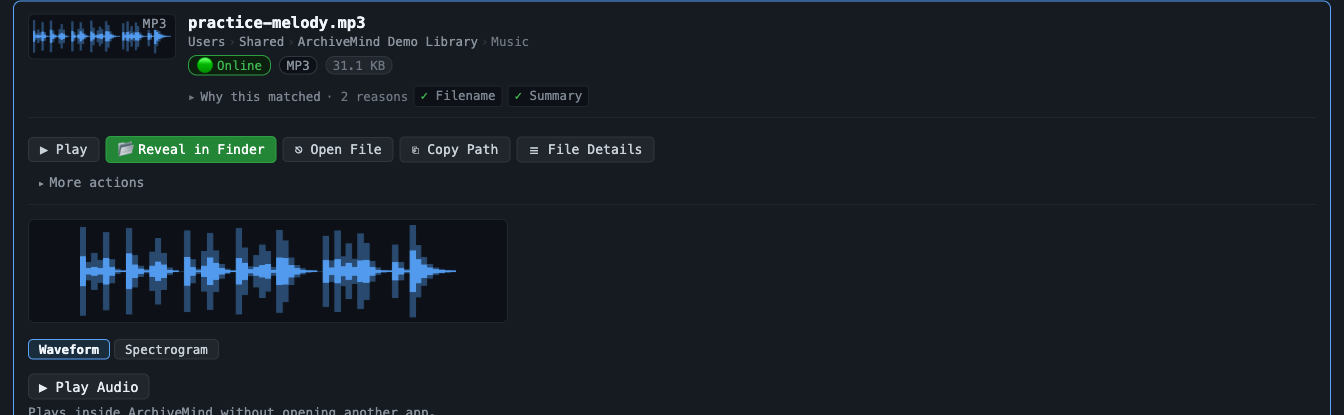
These previews need a free optional tool
Waveforms, spectrograms, and video frame thumbnails are generated with ffmpeg, a free command-line tool that is not bundled with ArchiveMind. Without it, the app simply — and honestly — lists those previews as unavailable; nothing breaks.
- macOS (with Homebrew):
brew install ffmpeg
- Windows (with winget, built into Windows 11):
winget install Gyan.FFmpeg
Then quit and reopen ArchiveMind. (SVG image previews similarly need
librsvg on macOS / rsvg-convert on Windows.)
Playback
Audio and video play inside the ArchiveMind interface, one item at a time — starting a new item stops the previous one rather than layering players.
Not every file can be played
Playback happens in the browser engine that displays ArchiveMind, so it is limited to the audio and video formats that engine can decode. A file can be perfectly indexed — searchable, with metadata and previews — and still not be playable in the interface. When that happens, ArchiveMind tells you rather than failing silently; you can still open the file in your usual media player via Reveal in Finder / Show in Explorer. See Audio or video will not play.