Search
Type into the search box and ArchiveMind searches its catalogue — file names, paths, metadata, and text extracted from inside documents — and returns results ranked by relevance, with matches in more important fields (such as the file name) weighted more heavily.
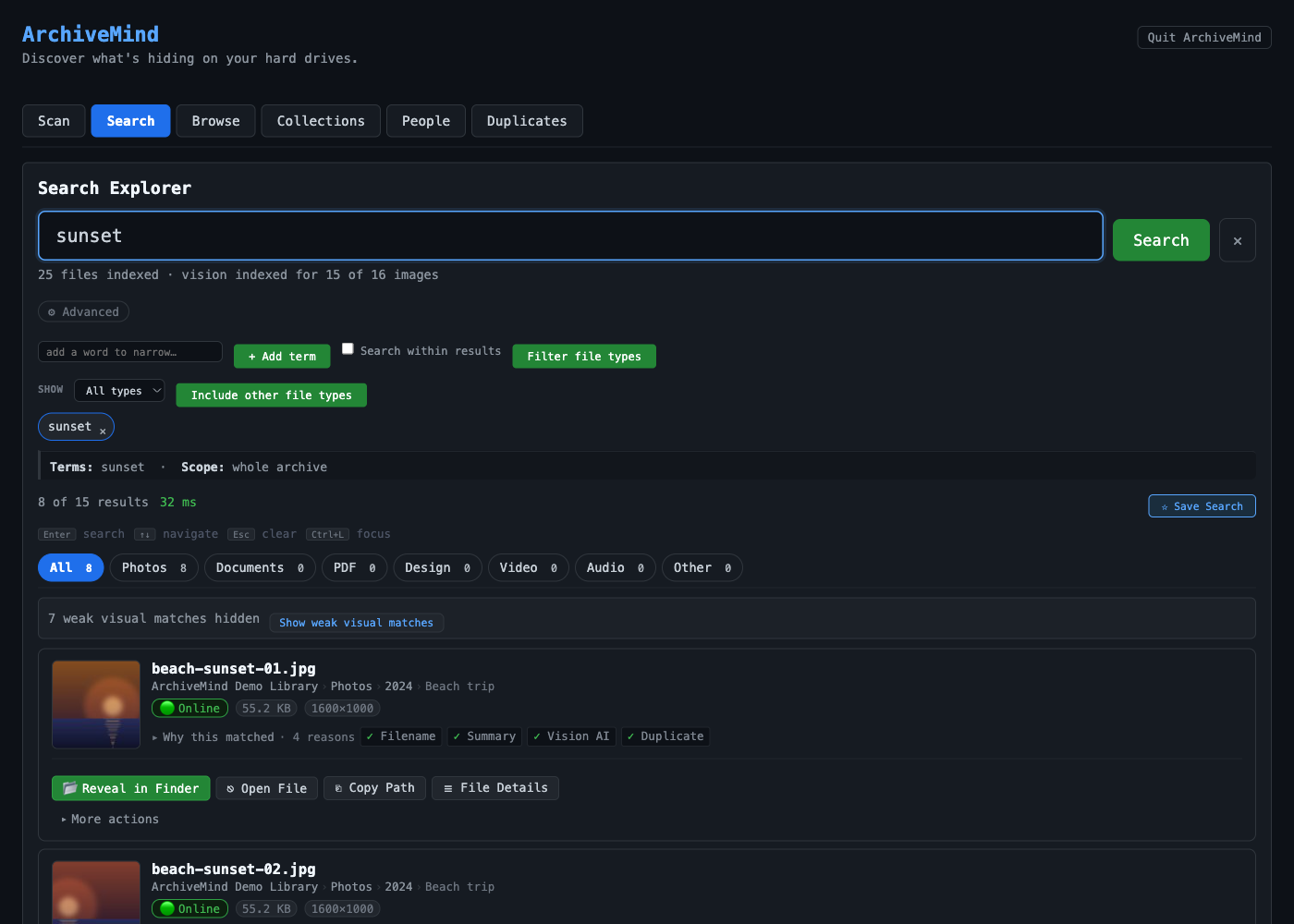
What search covers
- File names and folder paths.
- Metadata — for example photo dates and camera information, or audio tags, where the file format provides them.
- Extracted text — the readable text inside supported documents. Very large documents are indexed up to an extraction limit, so an enormous file is searchable by its beginning rather than its entirety.
- Where a photo was taken — the town or city resolved, offline, from the photo's GPS metadata. See Searching by location.
Search works on everything indexed so far — including files on drives that are currently disconnected. Results from a disconnected drive are labelled as such; see Disconnected drives.
Tips for better results
- Search runs on words, not meanings. Regular search finds files containing the words you typed. To find photos by describing what is in them, use Visual search.
- Try distinctive words. A rare word from inside a document narrows results much faster than a common one.
- Results improve while a scan runs. During indexing, files that have not yet reached the text-extraction stage match only by name and metadata.
If results seem off, see Too few search results and Unexpected search results.